Bonuses and Awards Guide
This guide explains the Bonuses and Awards section under the HR Operations menu. It helps you understand how to view, assign, and manage bonuses and recognition rewards.
🎯 Overview
The Bonuses and Awards module is used to:
- View current bonus programs and eligibility
- Assign bonuses to qualifying employees
- Track reward distributions across departments
The screen is split into two parts:
- Bonus & Compliance Rewards (informational)
- Bonus Assignment Table (record of awards assigned)
Here's a visual example from the Admin panel:
🏆 Bonus & Compliance Rewards
This section lists active bonus categories and their qualification criteria.
Examples:
-
🕕 Early Morning Bonus
- 100 Classes Completed
- +10 Applicable Tutors
- 💰 Reward: ₹4,00,000
- Criteria: Complete 100 classes and join 10+ tutors.
-
🛡️ Leave Retention Bonus
- +10 Applicable Candidates
- 💰 Reward: ₹4,00,000
- Criteria: Stay eligible with 10+ applicable candidates.
-
📅 Flawless Schedule Award
- +12 Applicable Candidates
- 💰 Reward: ₹4,00,000
- Criteria: Maintain a perfect schedule.
✅ These rewards promote punctuality, retention, and teaching excellence.
👤 User View (Employee)
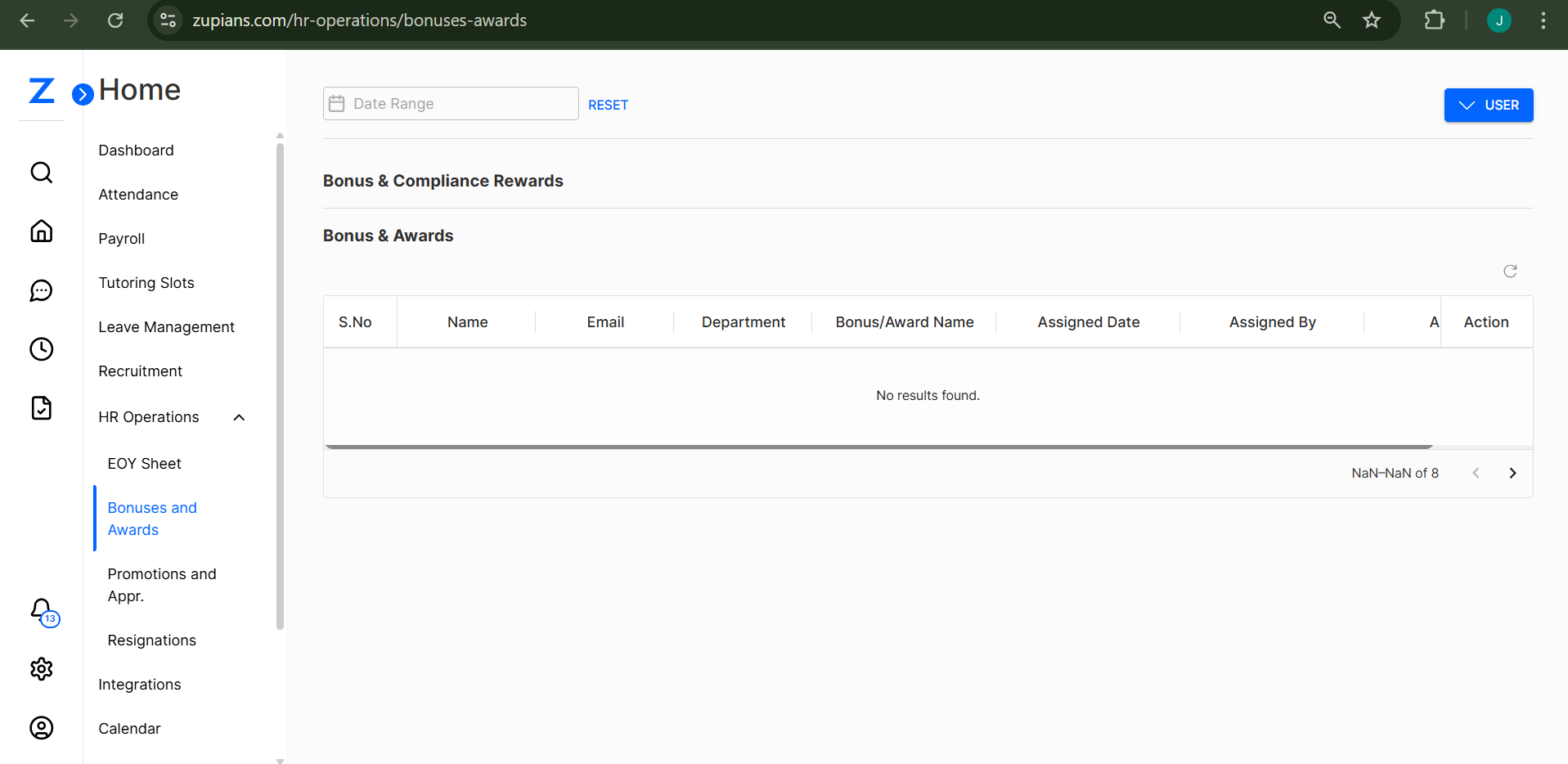 In the User View, employees can:
- View active bonuses and eligibility criteria
- Track which rewards are applicable to them
- Stay informed about performance-linked payouts
❌ Note: Users cannot assign bonuses; this is Admin-exclusive.
🛠️ Admin View
In the Admin View, you have access to bonus assignment capabilities.
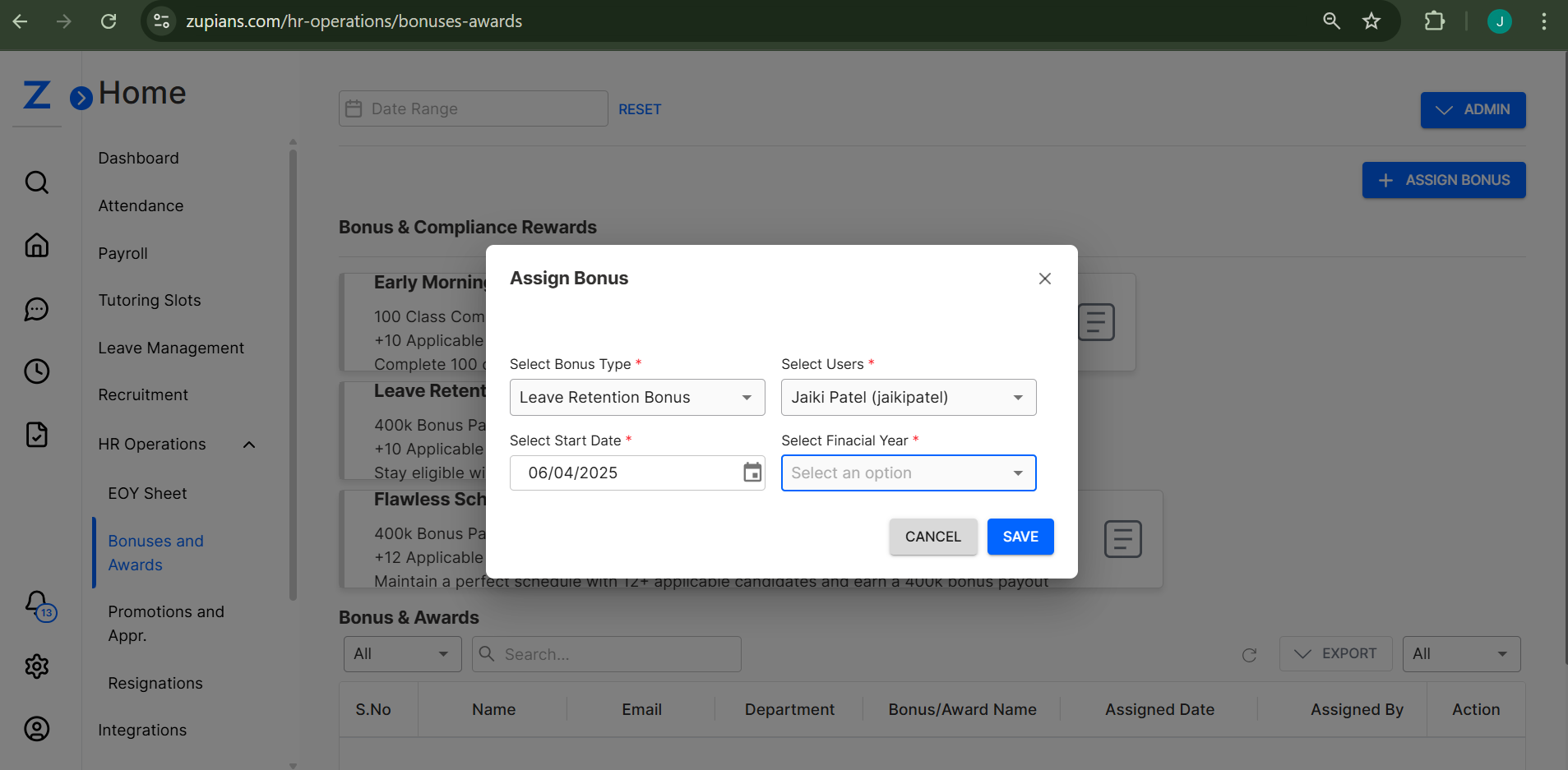
Click + Assign Bonus to open the assignment form.
🔽 Fields Required:
- Select Bonus Type – Choose from available rewards (e.g., Early Morning Bonus, Leave Retention Bonus)
- Select Users – Pick eligible team members
- Select Start Date – Define bonus start tracking period
- Select Financial Year – Choose applicable financial year
✅ Once submitted, this information is logged in the Bonus Assignment Table.
📋 Bonus Assignment Table
Below the reward list is the Bonus & Awards data table. It tracks all bonus allocations.
Columns Include:
- S.No
- Name
- Department
- Bonus/Award Name
- Assigned Date
- Assigned By
- Amount
- Action
ℹ️ Currently, this section displays "No results found." Once bonuses are assigned, entries will appear here.
🔍 Filters and Export
 ✅ Use filters and search to view bonuses by assign, cancel, or resume type.
✅ Use filters and search to view bonuses by user, department, or award type.
✅ Use filters and search to view bonuses by assign, cancel, or resume type.
✅ Use filters and search to view bonuses by user, department, or award type.
✅ Export bonus data in CSV format for HR analysis or payroll syncing.
💡 Best Practices
- ✅ Assign bonuses promptly based on performance reviews.
- ✅ Ensure eligibility rules are communicated to all departments.
- ✅ Use exports for audits, financial forecasting, and payout validations.
That's it! The Bonuses and Awards module helps ensure transparency, motivation, and reward for top performers. 🏅🚀
Bonus Award
This is a sample placeholder for hr-operation-bonus-award documentation.