Global Search Guide
The Search feature on the primary sidebar allows quick access to any module across the system. It helps users navigate efficiently without manually scrolling through the sidebar or menus.
🌐 Purpose
The Global Search is designed to:
- Quickly locate and open modules by name
- Offer instant access to recently used modules
- Provide a centralized search experience for all users
🧭 Navigation
From any screen:
Click the 🔍 Search icon on the primary sidebar (left-side menu)
🖥️ Search Interface Overview
Upon clicking the icon, a search modal appears at the center of the screen.
🖼️ Visual Example 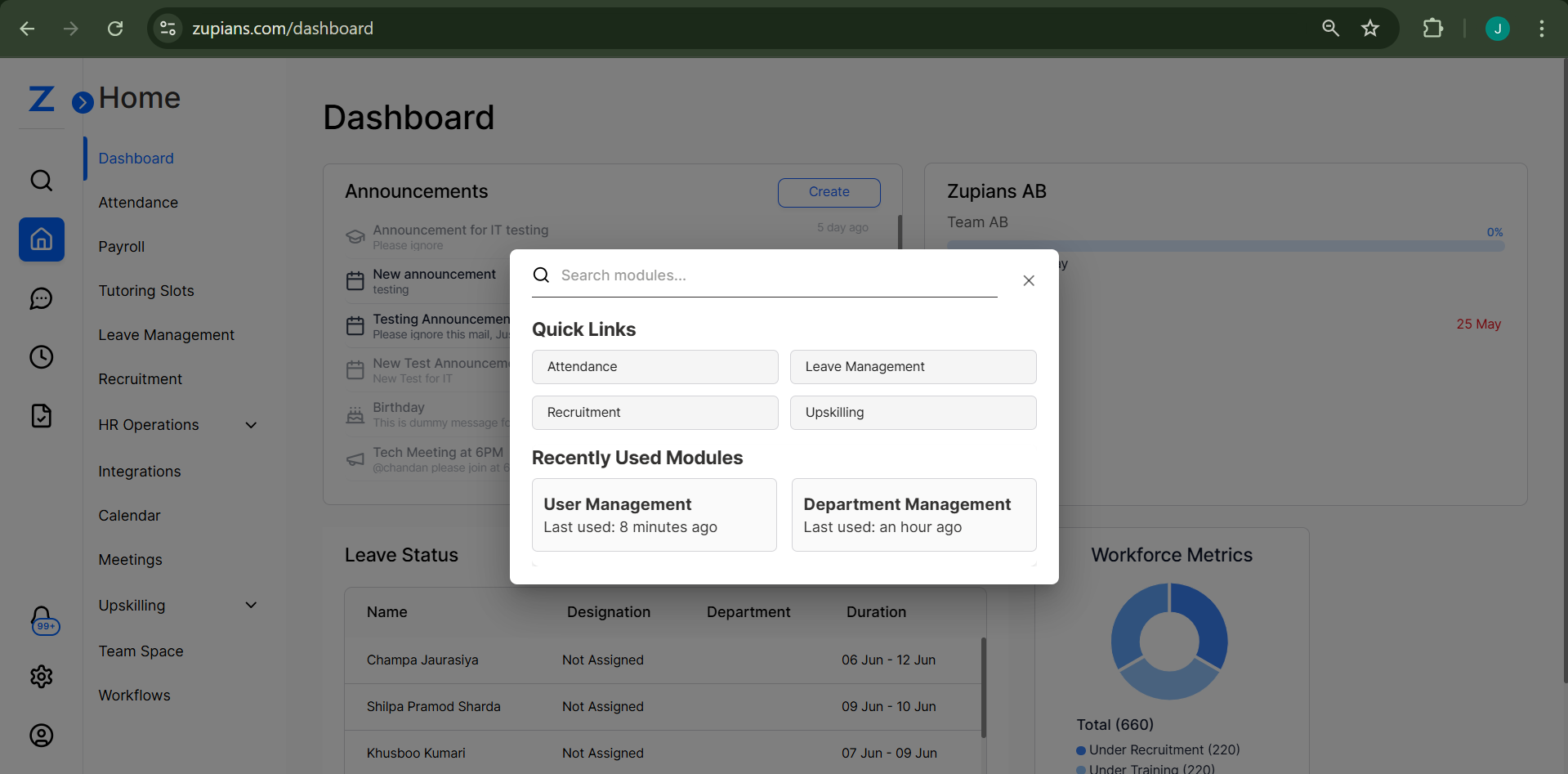
Key Features:
| Feature | Description |
|---|---|
| Search Bar | Start typing the name of a module, e.g., “Workflows” |
| Suggested Modules | Matching modules appear dynamically as you type |
| Recently Used Modules | Quickly access previously used modules |
| Clear Button (X) | Clears your current search input |
| Quick Click Navigation | Click on any result to go directly to that module |
🧠 Results load in real time, allowing instant module navigation without needing to scroll or hunt through menus.
✅ Best Practices
- Use short, relevant keywords (e.g., “user”, “leave”, “work”) for best results
- Use Recently Used Modules for faster repeat access
- Avoid over-typing; the system searches as you go
The Global Search enhances user productivity by making module access faster, smarter, and more user-friendly — especially in systems with many functional areas.