Dashboard Guide
The Zupians Dashboard offers a comprehensive snapshot of your workspace. Here's what you’ll find:
✅ Announcements – View latest announcements posted for your team or department.
✅ Assigned Task Status – Track project tasks assigned to you and mark them as complete.
✅ Leave Status – Monitor the leave schedule of your team (HR or privileged users only).
✅ Workforce Metrics – Get a quick overview of employee distribution:
- Under Recruitment
- Under Training
- Active Members
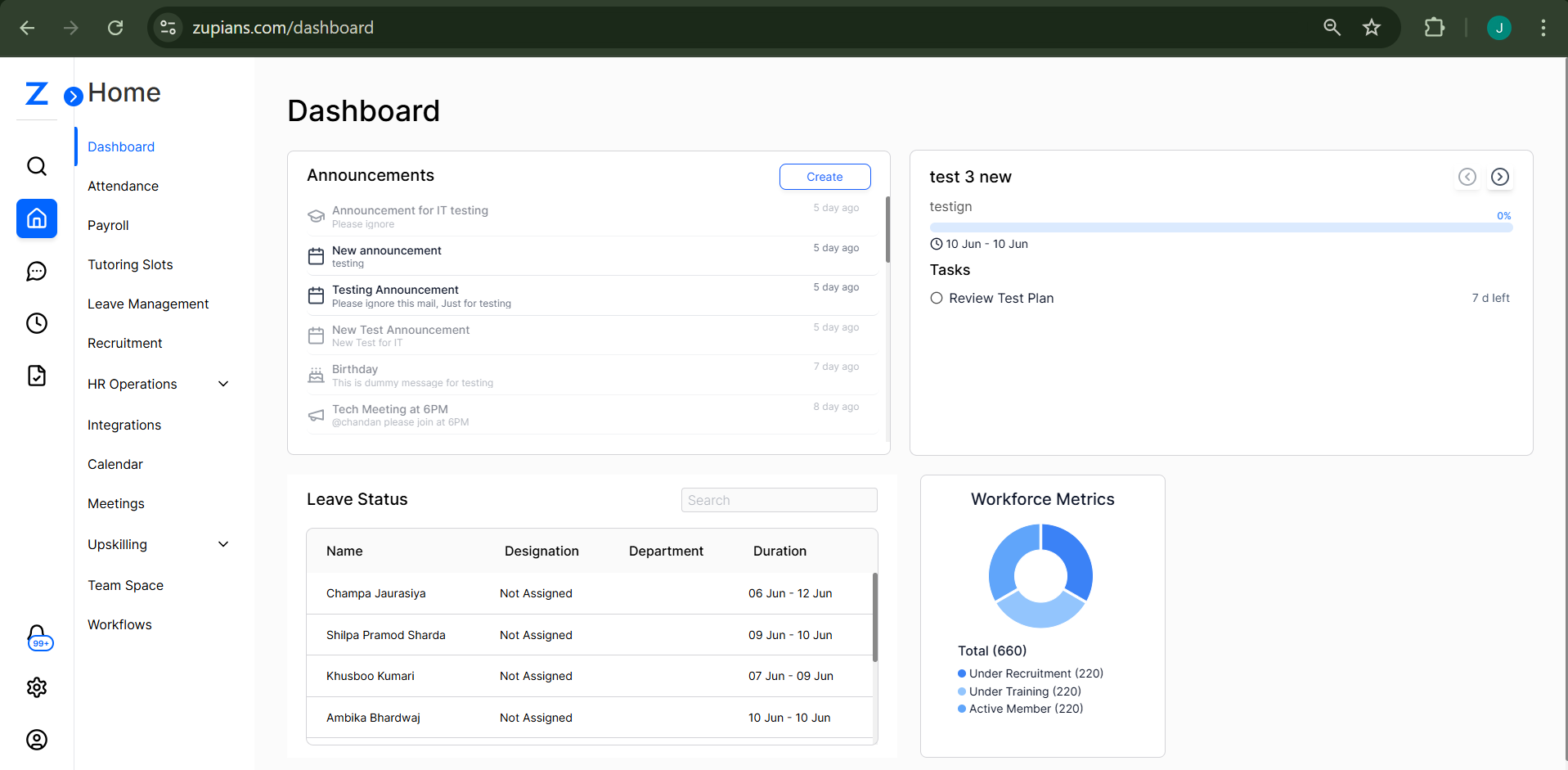
📢 Announcements
The Announcements section displays recent updates created by HR or users with proper access.
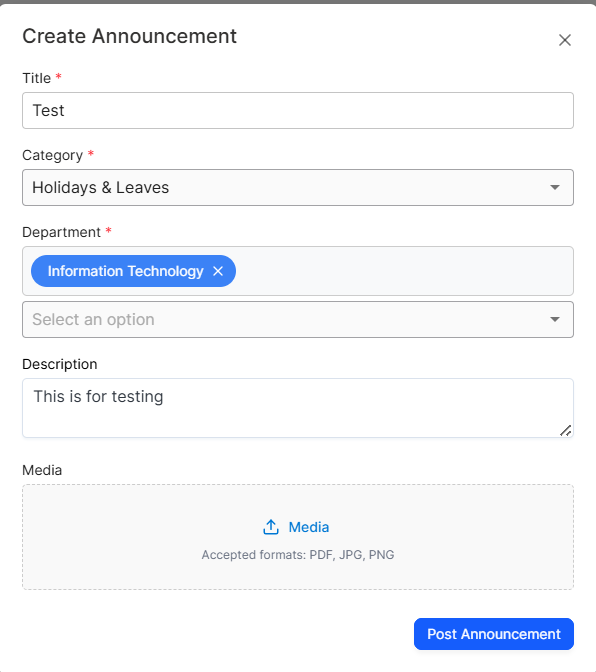
➕ How to Create an Announcement
-
Click the Create button on the top-right of the Announcements section.
-
Fill in the required fields:
- Title*
- Category*
- Department* (all selected department users will be notified)
- Description (max 500 characters)
- Media (optional: PDF, PNG, JPG)
-
Click Post Announcement.
🔔 Notifications
- Once an announcement is created, all users in the selected department will receive:
- 📧 Email Notification
- 🌐 Web Push Notification
❌ Deleting an Announcement
-
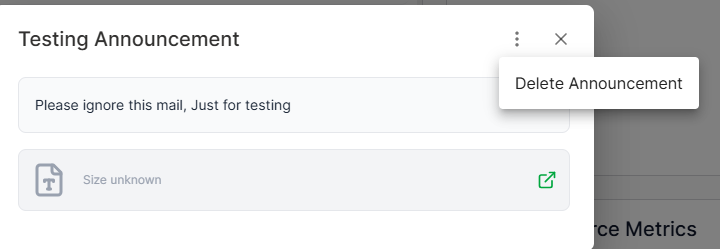
Click on any announcement to view more options.
-
A Delete Announcement option appears.
-
Once deleted, this action cannot be undone.
-
Department users are re-notified via:
- 🌐 Web Push Notification
✅ Task Management
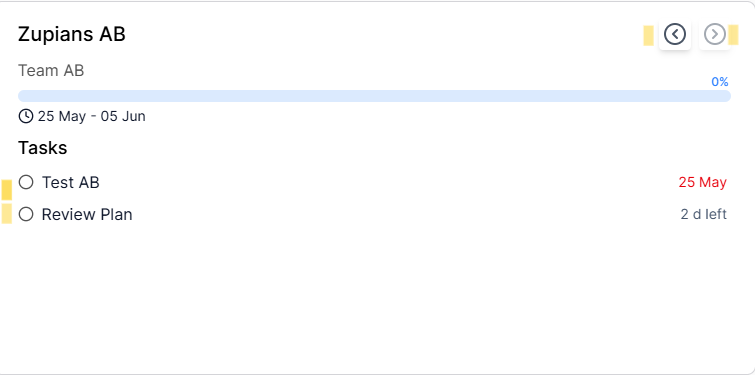
The Task panel shows project tasks assigned to you.
📋 How It Works
-
Navigate through tasks using the arrow (
>) icon. -
Each card includes:
- Task Title
- Task Description
- Timeline
- Completion Progress
- Assigned Checklist
📝 Marking Tasks as Complete
- Tick the checkbox under "Tasks" to mark it done.
🔔 Notifications
- Task stakeholders will receive updates via:
- 🌐 Web Push Notification
🌴 Leave Status
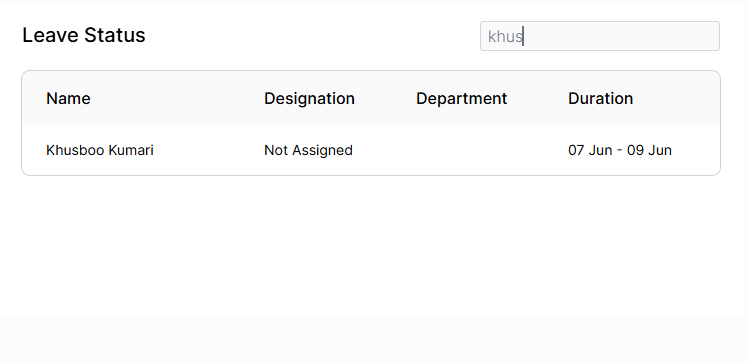
The Leave Status table displays leave records of employees:
- Name
- Designation
- Department
- Duration
🔍 You can use the search bar to filter records.
📊 Workforce Metrics
The pie chart at the bottom right shows the distribution of total workforce.
Click on any section to view detailed counts.
- Under Recruitment
- Under Training
- Active Members
🧠 Frequently Asked Questions (FAQ)
Can I edit an announcement after posting?
Will I be notified when a new announcement is posted?
I marked a task complete by mistake. Can I undo it?
Who can see the Leave Status section?
Why don’t I see any tasks under the Task panel?
What happens when I delete an announcement?
✅ Summary
The dashboard provides a powerful overview of:
✅ Company-wide announcements
✅ Actionable task lists
✅ Transparent leave tracking
✅ Visual HR metrics
Use this guide to make the most of your Zupians Dashboard!
💡 Tip: You can further enhance your experience by keeping your notifications enabled in browser and checking in daily for updates.