Attendance Guide
This guide provides an overview of the Attendance module, focusing on the Timesheet interface and its functionalities.
🗓️ Timesheet Overview
The Timesheet view lets you:
✅ View attendance records day by day
✅ Track approved and unapproved minutes
✅ Export timesheet data
📅 Date Range
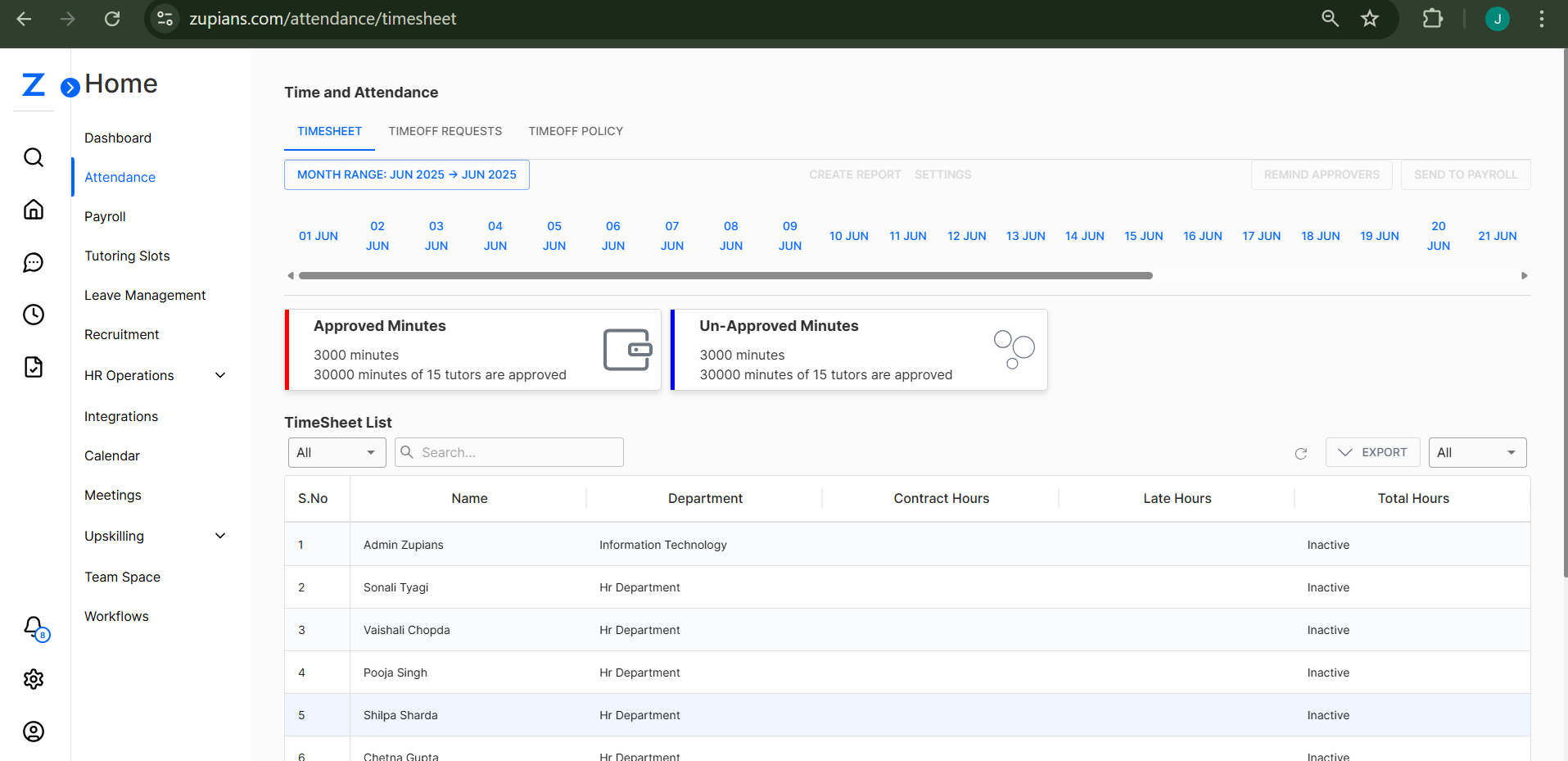
At the top, select the month and days you want to view.
Navigate across the days of May 2025 to see attendance records.
✅ Approved and Unapproved Minutes
-
Approved Minutes:
Displays the total minutes of attendance that have been reviewed and approved. -
Un-Approved Minutes:
Displays the minutes pending review.
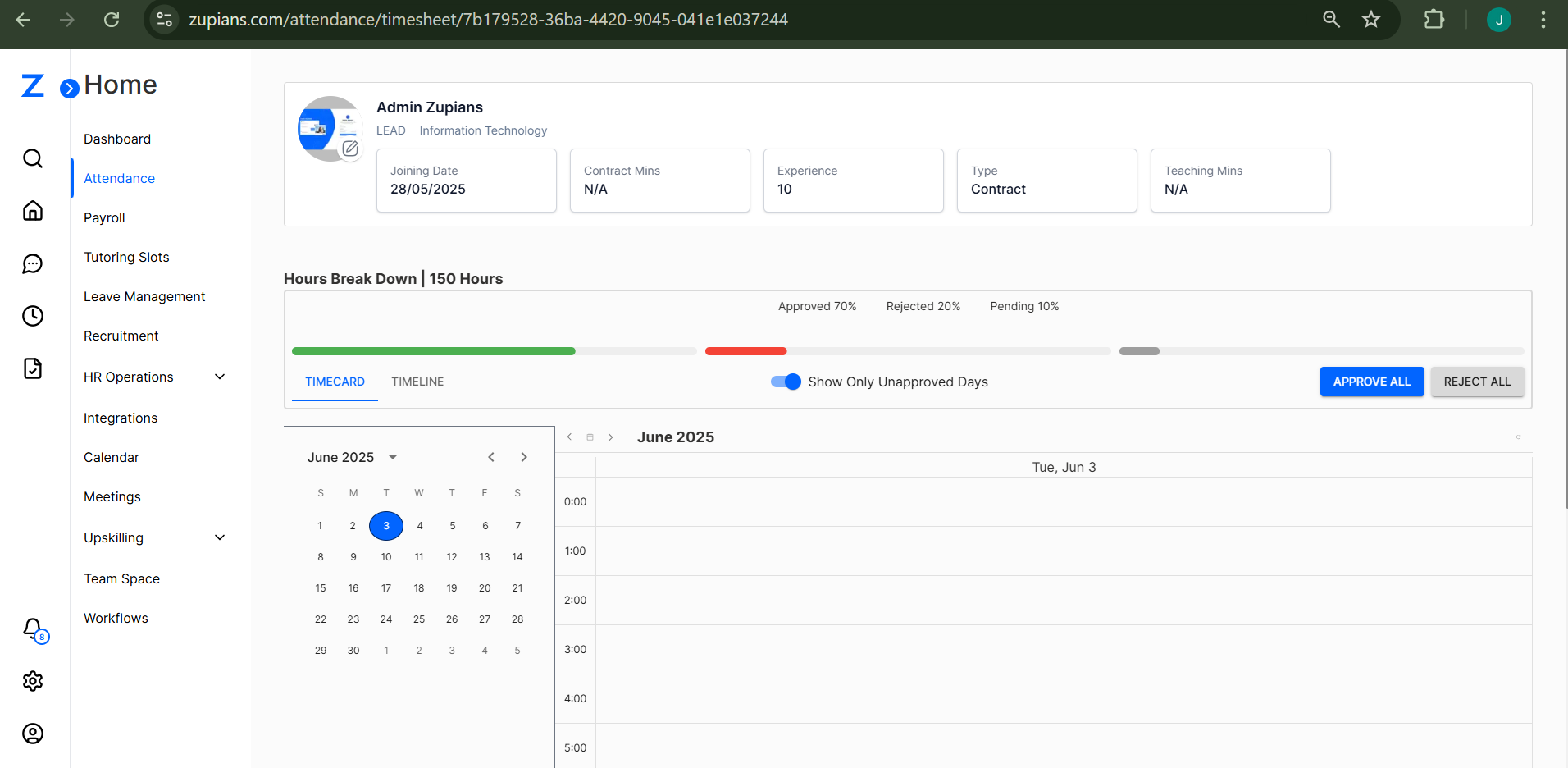
⚡ Screenshot: Timesheet Overview
📊 Timesheet List
Below the summary, a Timesheet List table shows detailed attendance data for each user.
| S.No | Name | Department | Contract Hours | Late Hours | Total Hours |
|---|---|---|---|---|---|
| 1 | Admin Zupians | Information Technology | - | - | Inactive |
| 2 | Chandan Tiwari | Information Technology | - | - | Inactive |
| ... | ... | ... | - | - | Inactive |
ℹ️ All data can be exported using the Export button.
🖼️ Additional Screenshots
Here are additional images for quick reference:
- Full Attendence Timesheet View:
📤 Export Timesheet
Click on the Export button at the top-right of the table to download the timesheet data in various formats.
⚙️ Tips
✅ Use the search bar to filter by user name or department.
✅ Use the Remind Approvers or Send to Payroll buttons (if enabled for your role).
This guide ensures you can review, track, and export attendance data seamlessly using the Zupians Attendance module!
💡 If you’d like to customize the display, let me know and I’ll tweak the guide or images as needed!