Payroll Guide
This guide covers the Payroll module in Zupians, helping you understand payroll stats, payroll history, and how to export data.
💸 Payroll Stats
The Payroll Stats cards at the top of the page provide a snapshot of key payroll figures, including:
✅ Net Payable
✅ Bonuses
✅ Leave without Pay
✅ No-Shows and Cancellations
✅ Missed Daily Meetings
✅ Un-Sanctioned Leaves
Here’s a visual reference of the Payroll Stats dashboard:
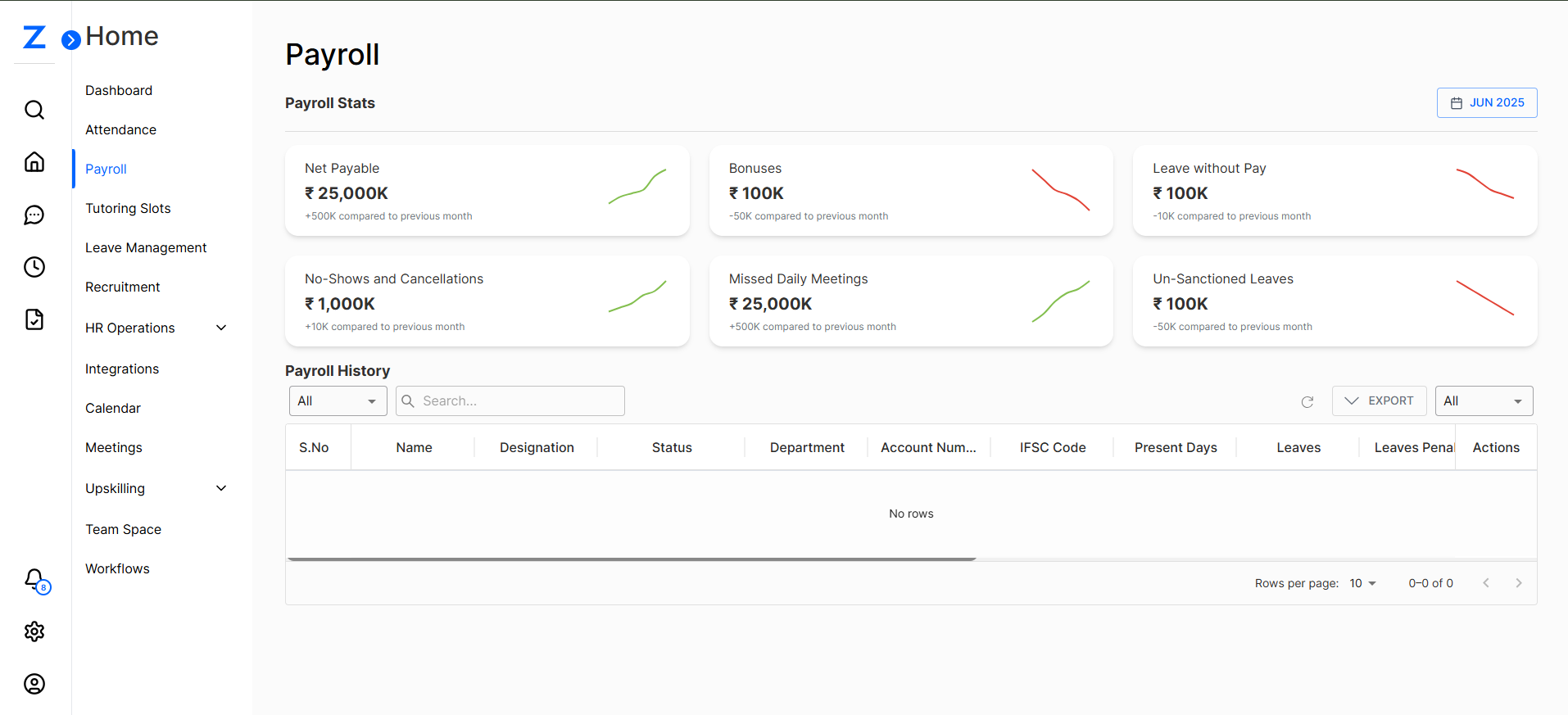
📈 Key Payroll Stats
| Stat | Amount | Change Compared to Previous Month |
|---|---|---|
| Net Payable | ₹ 25,000K | +500K |
| Bonuses | ₹ 100K | -50K |
| Leave without Pay | ₹ 100K | -10K |
| No-Shows and Cancellations | ₹ 1,000K | +10K |
| Missed Daily Meetings | ₹ 25,000K | +500K |
| Un-Sanctioned Leaves | ₹ 100K | -50K |
✅ These stats help you monitor payroll trends at a glance.
📜 Payroll History
Below the payroll stats, you’ll find the Payroll History table. This table includes columns such as:
- S.No
- Department
- Account Number
- IFSC Code
- Present Days
- Leaves
- Leave Penalty
- LWP (Leave Without Pay)
- Missed Daily Meetings
- No-Shows Fine
- Actions
Here’s a closer look:
![Payroll History Table]
ℹ️ Note: Currently, no data rows are displayed in the screenshots. However, once data is available, this table will provide detailed transaction history.
📤 Export Payroll Data
You can export the payroll history using the Export button at the top right of the table.
Choose the desired format (CSV, Excel, etc.) to download the data for record-keeping or further analysis.
🔎 Filters & Search
✅ Use the search bar to filter by department or employee name.
✅ Use the dropdown filters to select All, Active, or Inactive payroll records.
🗓️ Date Selection
To change the payroll month, click the date selector in the top right:
![Date Selector]
Choose the month for which you’d like to see the payroll data.
⚙️ Tips
- ✅ Regularly review payroll stats to ensure accurate processing.
- ✅ Use the filters and search to quickly find specific employee records.
- ✅ Export data to Excel/CSV for audits and HR reviews.
That’s it! This guide ensures you’re well-equipped to navigate the Payroll module in Zupians and manage your organization’s payroll data effectively.
💡 If you’d like me to update the screenshots, captions, or add more sections, just let me know!