🚨 Emergency Contact Guide
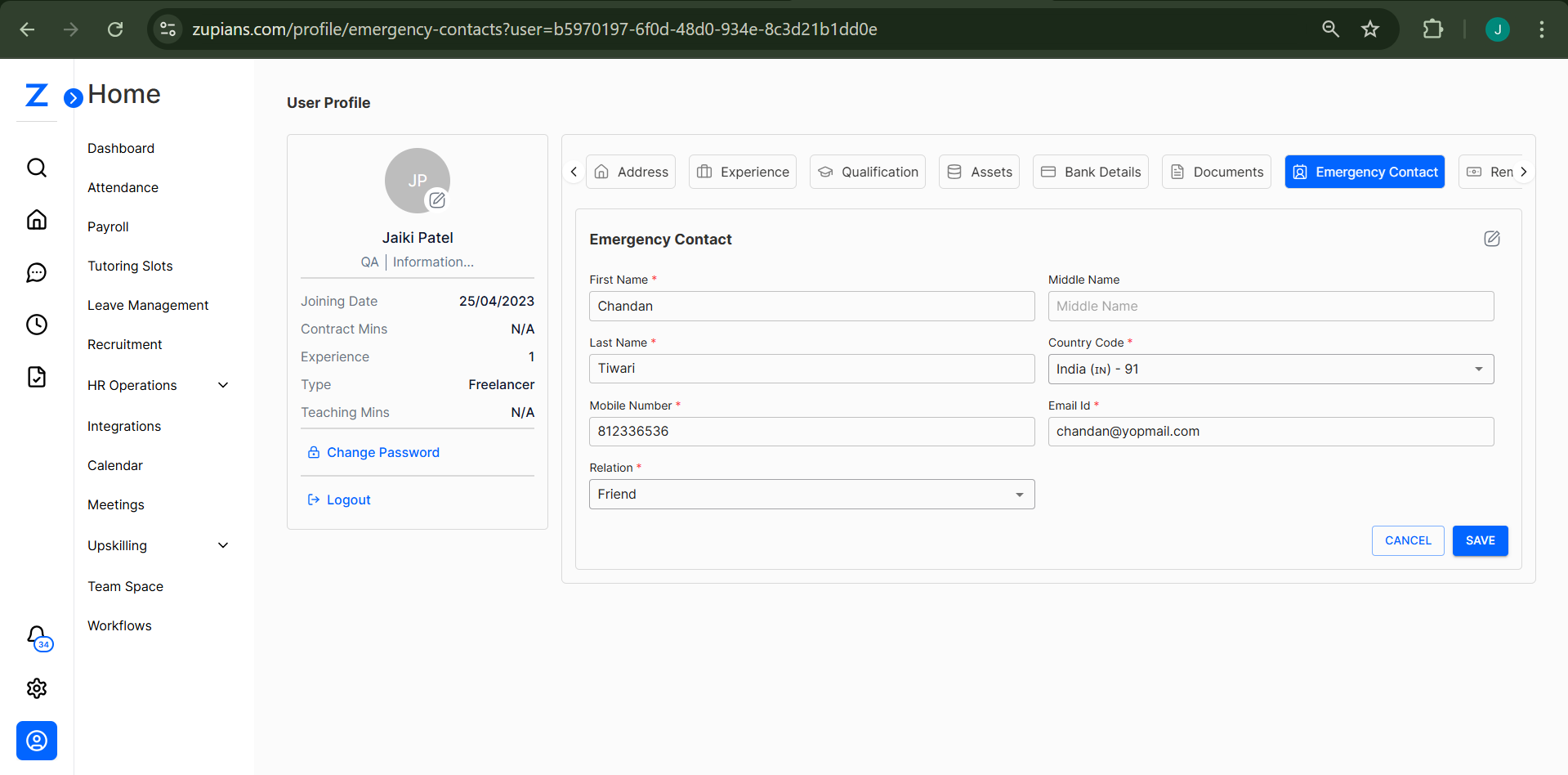
This guide helps you manage the Emergency Contact section in your User Profile. You can add or update a trusted contact person in case of urgent situations.
✨ Accessing Emergency Contact
- Navigate to the User Profile.
- Click on the Emergency Contact tab at the top.
- You will see the emergency contact form, either blank or pre-filled.
✏️ Adding or Editing Emergency Contact
To add a new contact or edit an existing one:
-
Click the pen (✏️) icon on the top-right of the Emergency Contact section.
-
Fill out the following fields:
- First Name – Required
- Middle Name – Optional
- Last Name – Required
- Mobile Number – Required
- Country Code – Required (choose from dropdown)
- Email ID – Required
- Relation – Required (e.g., Friend, Parent, Spouse)
-
After filling all mandatory fields, click Save.
-
Click Cancel if you wish to discard the changes.
🧠 Frequently Asked Questions (FAQ)
1. Can I leave the Middle Name blank?
Yes, the Middle Name field is optional.
2. Can I add multiple emergency contacts?
Currently, only one emergency contact is allowed per user.
3. What is the use of the emergency contact?
The emergency contact will be notified in urgent situations or when you're unreachable.
4. Is it necessary to add an email ID for the emergency contact?
Yes, providing an email ID is mandatory for communication purposes.